Showing posts with label Guide to the Center. Show all posts

Friday, May 9, 2008

Art in the Periodicals Reading Room

Did you know you can go up to the sixth floor of the library by taking the spiral staircase in the Periodicals Reading Room of the Magazines & Newspapers Center? This staircase, part of an art piece designed by Alice Aycock, was unveiled in 1996 at the opening of the New Main Library.

Excerpted from Art Works of the Main Library

Functional and Fantasy Stair and Cyclone Fragment

Artist: Alice Aycock

"Alice Aycock has designed a spiral stairway between the fifth and sixth floors of the suspended, glass-enclosed reading room that projects into the library's great atrium space. The staircase wraps around a cone tipped at an angle, and as the two-story cone appears to unravel, it sheds fragments of false or imaginary stairs. The conical composition echoes the structure of a nearby atrium skylight. The cone, in fact, is an inversion of the skylight.

A second element, the Cyclone fragment, is suspended in the adjacent atrium and functions as a ghost projection of the spiral stair. If the stairs suggest knowledge unfolding, the Cyclone symbolizes knowledge in its most dynamic and transitional state. For the artist, her work in the library is the culmination of years of ongoing dialogue with the architect James Ingo Freed."

Saturday, March 29, 2008

Using Periodical Finder

There are several ways to find out if the library has a popular magazine or academic journal: ask a librarian at the reference desk, search our online catalog the same way you would look for a book, or use Periodical Finder. Using Periodical Finder will enable you to see if a title is available in the library and/or online in one of the library's article databases.

1. Go to the SFPL Home Page and select “Articles & Databases.”

2. Select Periodical Finder, which will direct you to a list of databases to which the library subscribes. You will need a San Francisco Public Library card to access these databases from outside the Library.

You can search periodicals by ISSN (International Standard Serial Number) or title keywords, browse through an alphabetical listing, or browse through general subject categories. Results will direct you to the online catalog record and/or to the database(s) that holds content for a particular periodical. The interface to each database varies, but most offer full-text content you can e-mail to yourself, download, or print out.

Saturday, March 1, 2008

The Sutro Library versus SFPL: when and where to go for what


Both the Sutro Library of the California State Library and the San Francisco Public Library's Magazines and Newspapers Center have excellent resources for doing genealogical research. So how do you chose when and where to go for what you need?

The Sutro Library specializes in genealogical resources for areas outside of California. The library "has one of the largest genealogical collections west of Salt Lake City with extensive resources for states other than California and basic resources for California. The California Section of the California State Library, Sacramento, has more materials for California history and genealogy."

If you are looking for information that is based in California, especially in San Francisco itself, then it's best to come to the San Francisco Public Library!

Saturday, February 2, 2008

Using Microfilm and Microfiche

The Herb Caen Magazines and Newspapers Center at the San Francisco Public Library has a wealth of archived newspapers and magazines. You can find an obituary for a long-lost relative or read the gossip columns when Clark Gable came to town. Discover the price of a TV in 1970 or learn about the news on the date of your birth. In a digital age where so much information is easy to find on the Internet, it is easy to overlook this vast collection of resources.

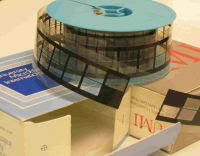
There are different kinds of micro-formats. The library has magazines, journals, and newspapers on microfiche (a celluloid index card) and microfilm (a roll of celluloid film). The microform readers in the Center can be used to view either format.

To use the microform viewing equipment:

1. Choose whether you will be using the machine for microfilm or microfiche.
2. Check to see that the machine and printer are turned on.

To use the machine for viewing microfiche:

1. Push the rectangular microfilm carrier all the way back. Bring the glass microfiche tray to the right and slide it forward.
2. Lift the top of the glass tray and insert the microfiche card.
3. Push the tray beneath the lit optical lens and the image will appear on the screen.
4. Use the handle of the microfiche tray to move the image on the screen.

To use the machine for viewing microfilm:

1. Move the glass microfiche tray to the left and to the back.
2. Pull the microfilm carrier to the front. Push the microfilm reel onto the left sprocket.
3. Pull the film off the top of the roll, slide it under the left roller, underneath the glass plate, and under the right roller.
4. Slide the film forward until it buckles against the right take-up reel.
5. Press the front blue button to the left to get the film to “catch” onto the right take-up reel.

Depending on the machine, the knob to advance or rewind the microfilm is either on the right side of the machine or the front.

Options for using the machine are as follows: Different sized lenses are available. The lenses are interchangeable and can be exchanged for one of a different magnification.

Above the lens are three wheels:
  • The top wheel rotates the image.

  • The second wheel increases or decreases the size of the image.

  • The bottom wheel focuses the image and turning it will sharpen the image.

The Center has two kinds of microform equipment: Some of the machines are optical and will only display the film as it was photographed. The other machines are digital and allow you to print a reversed image from the screen. If the microfilm was photographed as a negative image, these machines will allow you to reverse it and print a positive image.

When printing, make sure to use the zoom control and place your image within the crop marks on the screen. These crop marks show the boundary of what will be printed.

If you have any questions about using the machines, you can ask one of the library staff to help you. Coming soon, the department will have microform and flatbed scanning equipment available.

Saturday, December 1, 2007

Periodicals Reading Room

During the holiday season when the weather has turned cold and the frenzy of the season has become overwhelming, consider coming into the Main Library and going to the fifth floor Periodicals Reading Room in the Herb Caen Magazines and Newspapers Center. Even on a gray day, the glass-enclosed room is filled with light and warmth.

The Periodicals Reading Room showcases current issues of more than 150 of the library's popular magazines. It is a clean and quiet room where you can linger over your favorite magazines. A comfortable place to sit, study, work and think, it is a sanctuary from the fast pace of the world around us.

The room also contains back issues of local newspapers. If you are interested in a magazine title not on display, check with a librarian at the reference desk or use our Periodical Finder. Current and back issues of several thousand magazines are available at the fifth floor Page Desk.

Saturday, October 20, 2007

The Standard Periodical Directory


You may already know that the Magazines and Newspapers Center holds thousands of magazines and newspapers from the past to the present, along with microfilm, San Francisco City Directories, and telephone books from around the country. But did you know that the Center also has many reference resources to help answer a variety of questions that you may have?

In addition to the skilled library technicians and librarians that staff the Center's reference desk, you should be aware of the many print resources available to you.

One particular useful tool is the The Standard Periodical Directory, a directory of magazines by subject.


The 30th edition holds information for over 58,000 magazines with over 5,500 additions from the last edition. Over 17,000 magazines are noted as a combination of print and online media. Also of note is that corporate in-house magazines have dwindled from 79 pages to 5 while ethnic magazines have grown astronomically. Hispanic magazines have grown from 30 to 245 since 1977. Indicative of the size and motion within the magazine industry, the Directory contains valuable information for each listed periodical that includes websites, email addresses, subscription list rental availability, and other basic information.

This is one example of over 100 reference sources that are held at the Center's main reference desk. If you have a question, the Center may have your answer.

Tuesday, October 2, 2007

Where Do I Find This Magazine?

The Herb Caen Magazines and Newspapers Center holds the bulk of the magazines received by the Main Library. However, there are some exceptions library users should be aware of.

To find the location of a magazine title, check the library’s online catalog or ask a librarian for assistance.

Circulating adult magazines, temporarily not available during the Main Library First Floor Renovation, will be available again upon the completion of this project.

Magazines for the deaf and/or hard-of-hearing are available to read in the Deaf Services Center on the first floor.

The Children’s Center holds children’s titles for circulation on the second floor.

The Teen Center on the third floor holds teen-interest magazines which also circulate.

Also on the third floor, the International Center holds circulating magazines in languages other than English.

The Government Information Center, located on the fifth floor, holds government-issued and government-related periodicals.

The Little Maga/Zine Collection is in the Book Arts and Special Collections Center on the sixth floor.

And finally, Affinity Centers, like the Filipino American Center, are located throughout the building and offer topically-related magazines.

Saturday, August 25, 2007

867-5309...Using a Reverse Directory


Have you ever had a phone number but not a name?

There are two kinds of phone directories, ones with the entries ordered by name alphabetically or by subject and ones with entries ordered by number or by location. These are called "reverse directories" and can be very useful when you want to find the information attached to a number or an address.

The Magazines and Newspapers Center holds two kinds of "reverse directory" reference sources. The first are print resources called the Polk's Directory, 1953-1982, and The Haines Directory, 1976 - Current, and the AT&T Street Addresss Telephone Directory. All of these directories are available at the Center's Reference Desk. These directories are extremely helpful--and sometimes full of surprises-- to genealogical researchers.

The second kind of reverse directory is the Reference USA database where you can enter a ten digit number and perform a search. Reference USA comprises the library's largest telephone reference source and holds over 14 million business numbers and 210 million residential numbers in the United States.

Saturday, August 11, 2007

San Francisco Bay Area obituary search services

Obituaries are one of the first documents that researchers will consult to find information about a family's history. Most often published in the deceased's local area newspaper, obtaining obituaries can require a substantial amount of legwork if all of the searches are done "in person".

To help alleviate this burden, many libraries and genealogical societies offer obituary search services. The requirements vary - some are free services, others charge a fee - and often there is an application to fill out in order for the agency to have enough information to attempt a worthwhile search.

Here are some links to a sample of the organizations in the Bay Area that will perform this service:

San Francisco Public Library Magazines and Newspapers Center - Obituaries/Death Notices

Oakland Public Library - Family History and Genealogy Resources

Alameda County Library - Frequently Asked Reference Questions

San Mateo County Genealogical Society (information available through Research Sevices link)

Santa Clara County Library - Obituary Searches

System Reference Center (BALIS/PLS/SVLS) - Fee Services

Marin County Library - Ask Us a Question

Contra Costa County Library - Obituary Request Form

Tuesday, June 26, 2007

Welcome to the SFPL Magazines and Newspapers Center Blog

Welcome to the blog of the San Francisco Public Library Magazines and Newspapers Center. We are here to share information about our wonderful resources with you.

The Center holds thousands of magazines and newspapers from the past to the present, along with San Francisco City Directories and telephone books from around the country. In addition, you can take advantage of the Library's rich online collection of magazine and newspaper article databases to help with your research. To access these databases from outside the Library, you will need a San Francisco Public Library card.

We also conduct classes and offer presentations on genealogy research, the evolving Web 2.0 and many other subjects.

We look forward to telling you all about our services and resources. Please send us your comments.

Thanks.
- The Magazines and Newspapers Center Staff